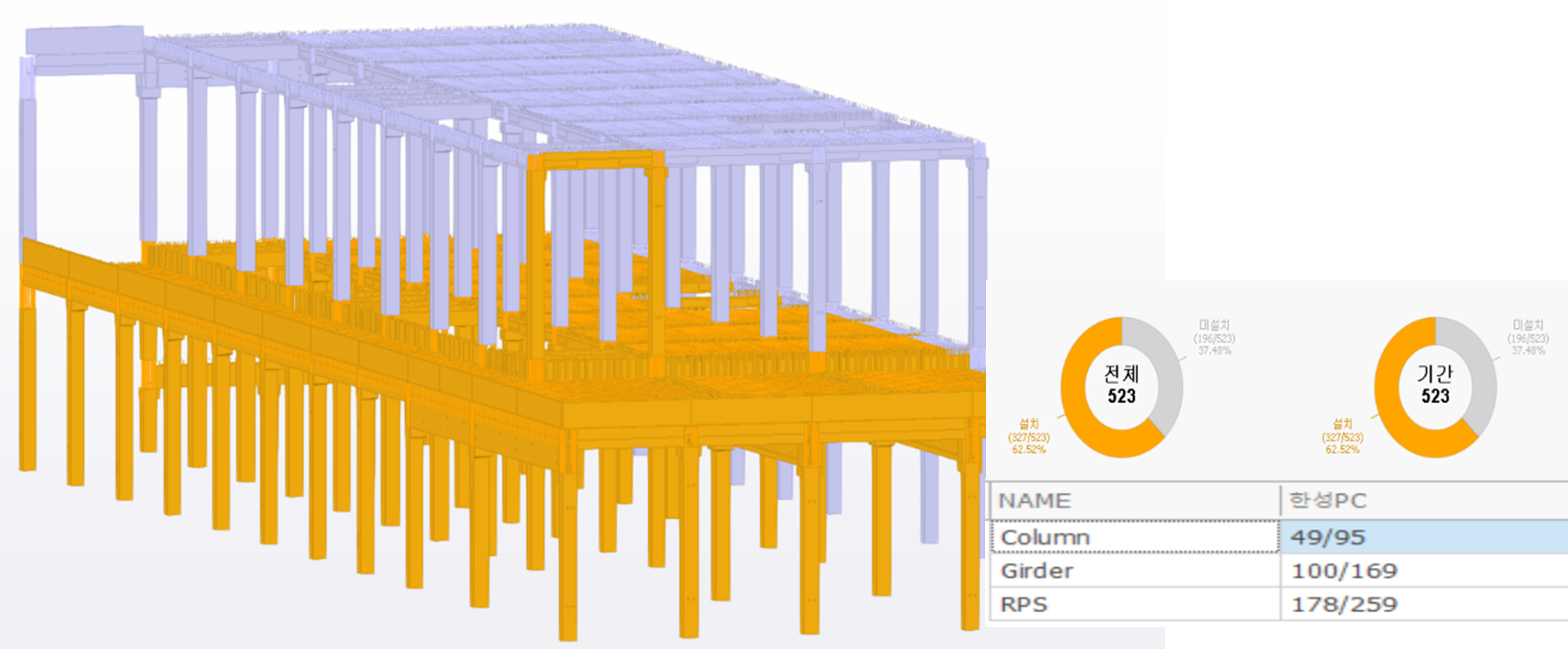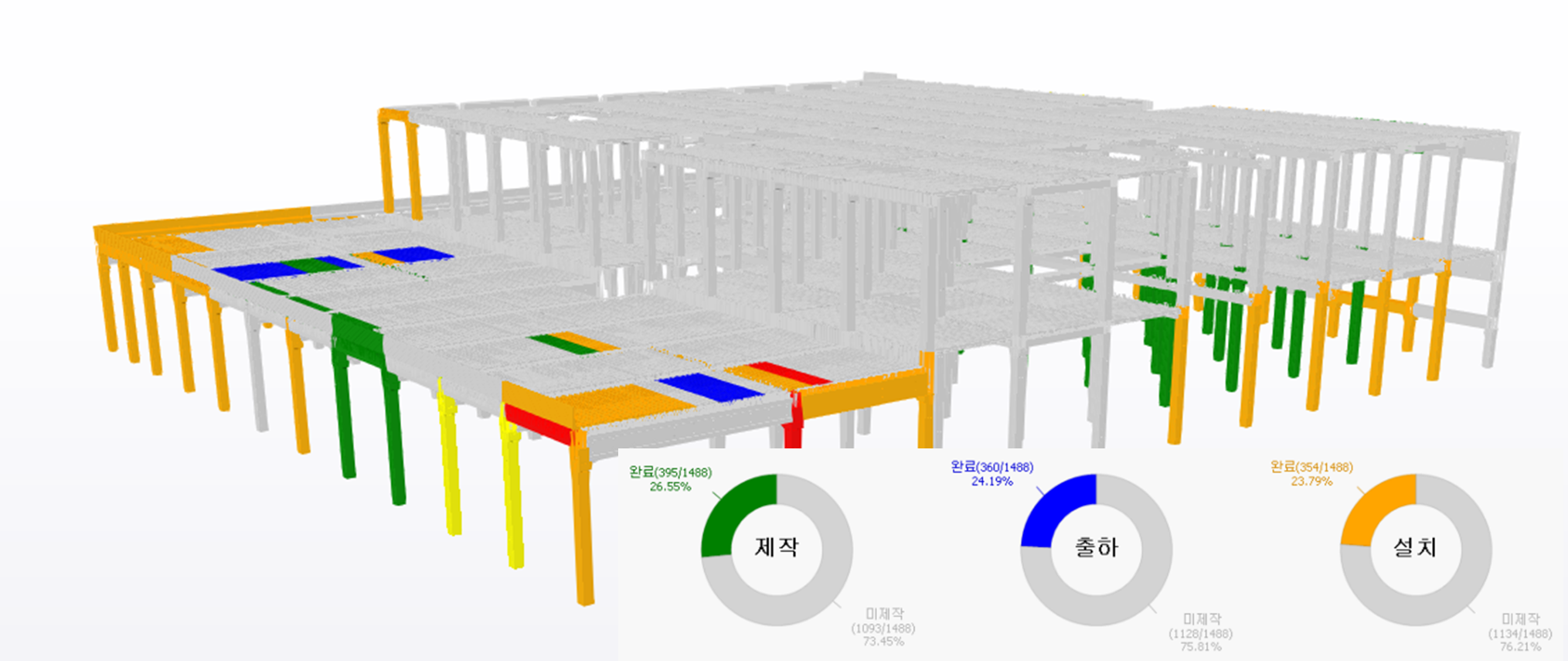
Trimble Connect Dashboard is an application developed on top of Trimble Connect, a cloud-based sharing program that allows you to represent the activities such as requesting, shipping, and installing parts between the factory and the construction site on a model through smartphone scanning, and automatically generate documents such as invoices, shipping requests, and other official documents based on this information.
Accurate ordering and execution of requisitions, fabrication, shipment, and installation is critical to keeping the entire process on track. However, due to space constraints for each person in charge, many design changes, and low visibility in 2D, communication can be difficult, resulting in ordering errors, fabrication errors, and receiving delays. these errors can lead to delays and increased construction costs, requiring a solution that is easily accessible and manageable by project stakeholders.
Trimble Connect Dashboard leverages BIM models created during the design phase to track fabrication and construction phases with IoT technology for accurate process planning. Trimble Connect also uses a graphics engine optimized to run large models, even those with rebar and bolts. And because it's cloud-based, project personnel working in different locations are always on the same page with final information.
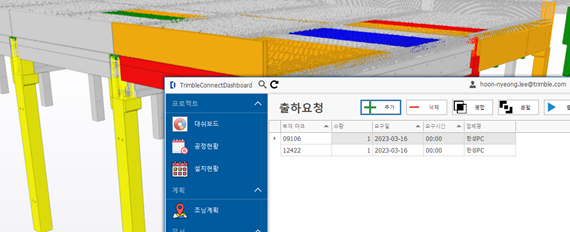
1) Request a shipment
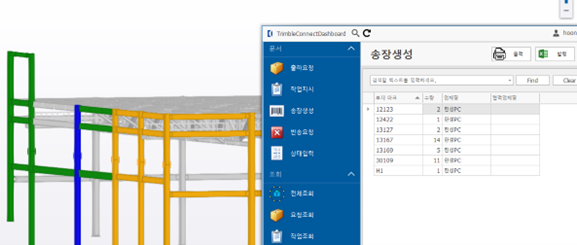
When the field makes a shipment request to the factory for each member based on the construction schedule, selecting the member in modeling and specifying a shipment date automatically creates a product transportation requisition. the parts for which a shipment request has been made are colored yellow and duplicate shipment requests are not made, preventing duplicate orders.
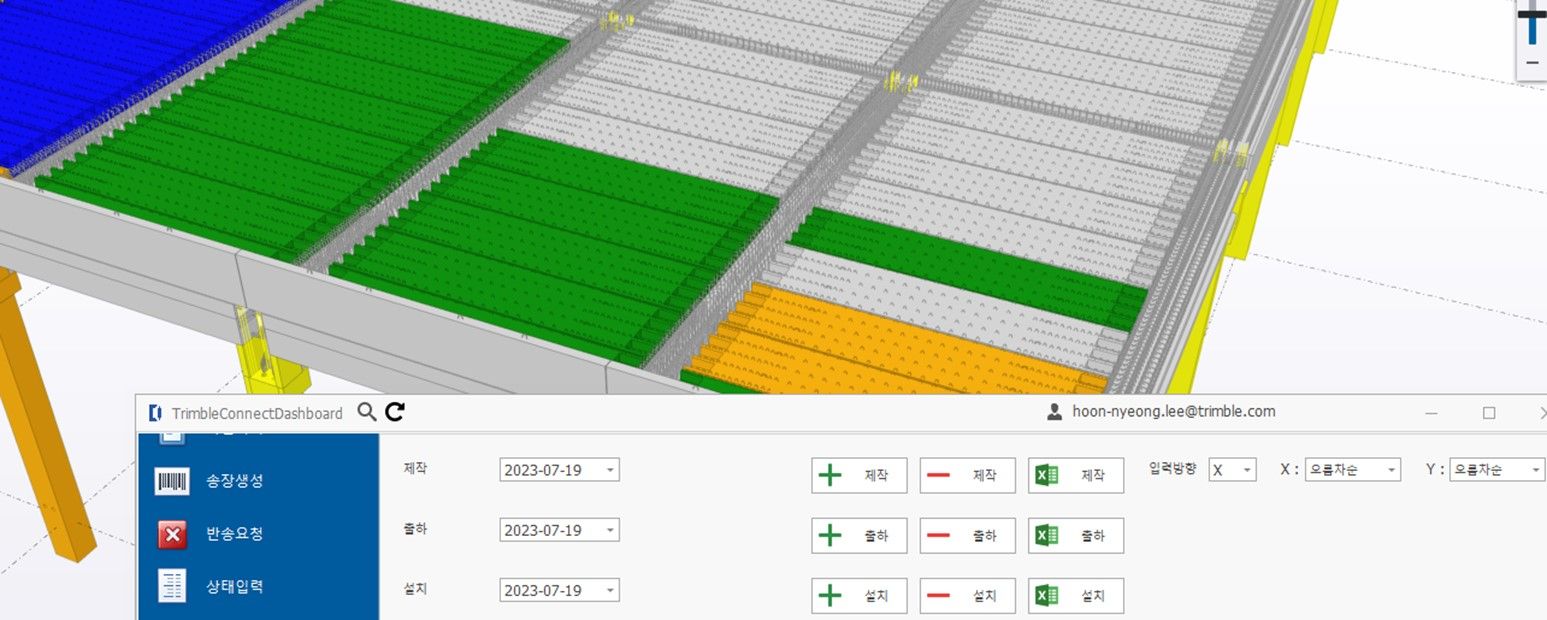
2) Update Production Completion
The factory can organize and enter the part numbers and quantities in Excel as they are completed. for members with the same part number, the part requested for shipment and the zoning order are recognized and entered according to the installation plan.
3) Invoice creation and invoice scanning
You can create invoices by automatically adding manufactured parts to invoices based on shipment requests or by including them directly in the model. shipping/receiving personnel in the factory and on the shop floor can scan the QR code on the invoice with a smartphone application to update the status of the components. the shipment and installation status of the parts are colored blue and orange in the model, giving you a clear picture of the exact status of the parts.
4) Installation Status
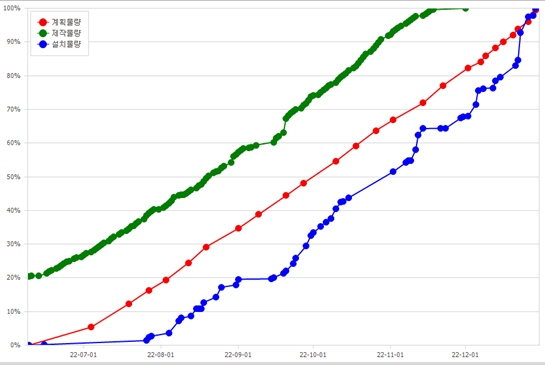
You can easily graph the quantity produced versus the quantity installed based on the planned installation date, and automatically list the unproduced members against the shipment request date. when you select a part in the list, the part is automatically selected and its location is easily identified. this feature allows you to proactively identify situations that may cause delays in receiving.
5) Process Status
You can view the process status of absences in pie graphs and lists for any time period, by section, by type, by process, based on the planned or execution date of the installation, and the modeling is automatically sorted. this feature makes it easy to generate materials for weekly or monthly meetings in the field.