

Completing AIA payment applications shouldn't be a hassle
Pay Applications are a massive part of the construction industry. It goes without saying that every company has already had to come to terms with the reality of AIA documentation, and how long it can take to fill out. We’ve talked about some of the wrong tools for the job, and explained the basics of what G702 and G703 documents contain. But at the end of the day, filling out AIA Pay Applications can be time consuming. Even worse- the common errors and problems with these documents delay payments and projects. What if we told you there was a better way? A faster way that takes only a few minutes of your time, and helps eliminate costly errors on payment application forms? You can easily complete AIA payment application forms without errors or miscommunication.
Using AIA pay application software to generate payment documentation
While many companies end up using Excel spreadsheets to keep track of the data in pay applications, this isn’t the most cost-effective way. More than that, employees, contractors and leadership end up wasting valuable time needing to communicate back and forth and update files manually. Construction companies need solutions designed not just for the construction industry, but also designed to be easy-to-use and with automatic communication in mind.
At Trimble, we have designed our software specifically for construction companies. We know how difficult it can be to keep cash flowing, and contact your busy workers with corrections or updates. We also understand that you want to spend less time worrying about billing, and more time building (it’s right in our slogan). We’ve ensured that you can generate your payment application forms in just a few easy steps, literally saving hours of unnecessary manual data entry.
How easy is it?
Requesting and completing AIA payment application forms is just 4 steps with Trimble Pay, formerly Flashtract. Even better, by completing this process you've also generated a schedule of values. You can watch "Create AIA G702 & G703 Docs in Minutes" video, or read along in the written guide below.
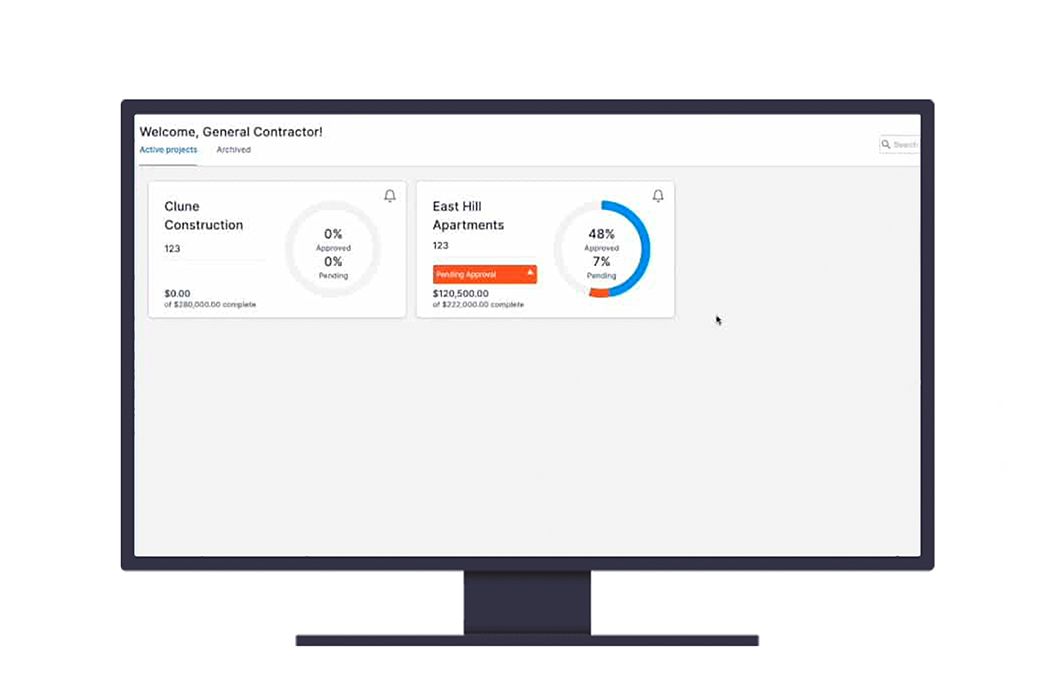
Step 1. Select the project & subcontract that needs the payment forms
Select the project which needs a payment application form. Trimble Pay’s dashboard will show all current projects. Additionally, there are helpful visuals that indicate how complete a project is. You will be able to quickly and easily see which projects have pending approvals. Select which project you want to work on. Then, select the subcontract.
Step 2. Fill out the schedule of values
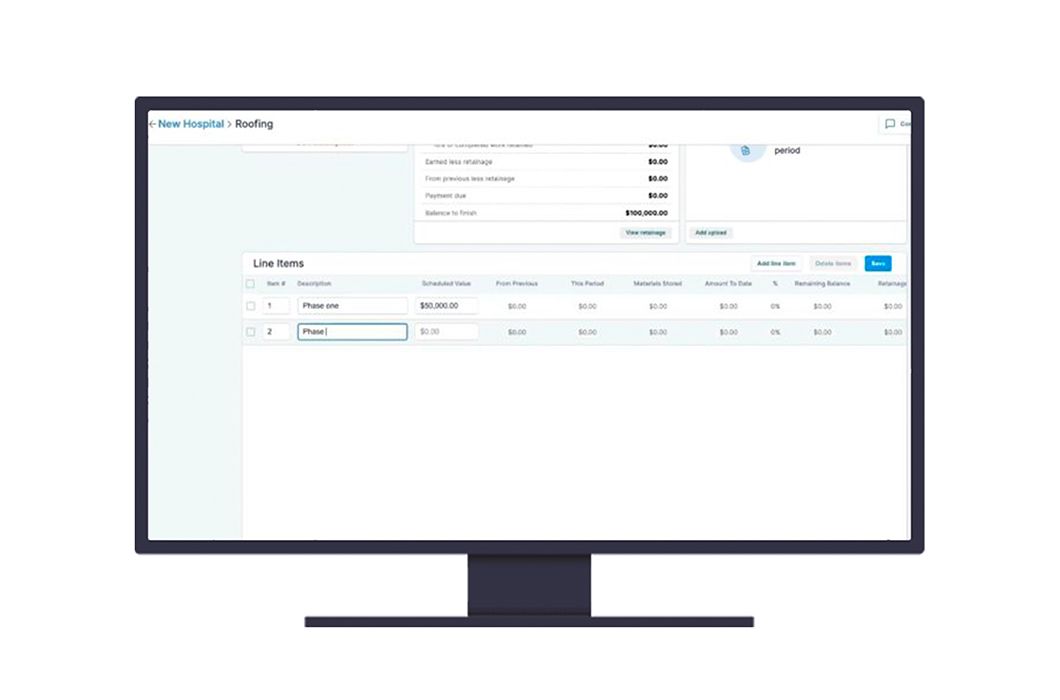
Next, fill out the schedule of values. This step may seem daunting. Luckily, with Trimble Pay, filling out the schedule of values for your payment application documents has been automated and simplified. You can choose to manually input your line items, or import from a spreadsheet. Above, you can see how line items look in the software, as well as options you will have when it comes to billing against this schedule of values.
Step 3. Input percent completed for the time period
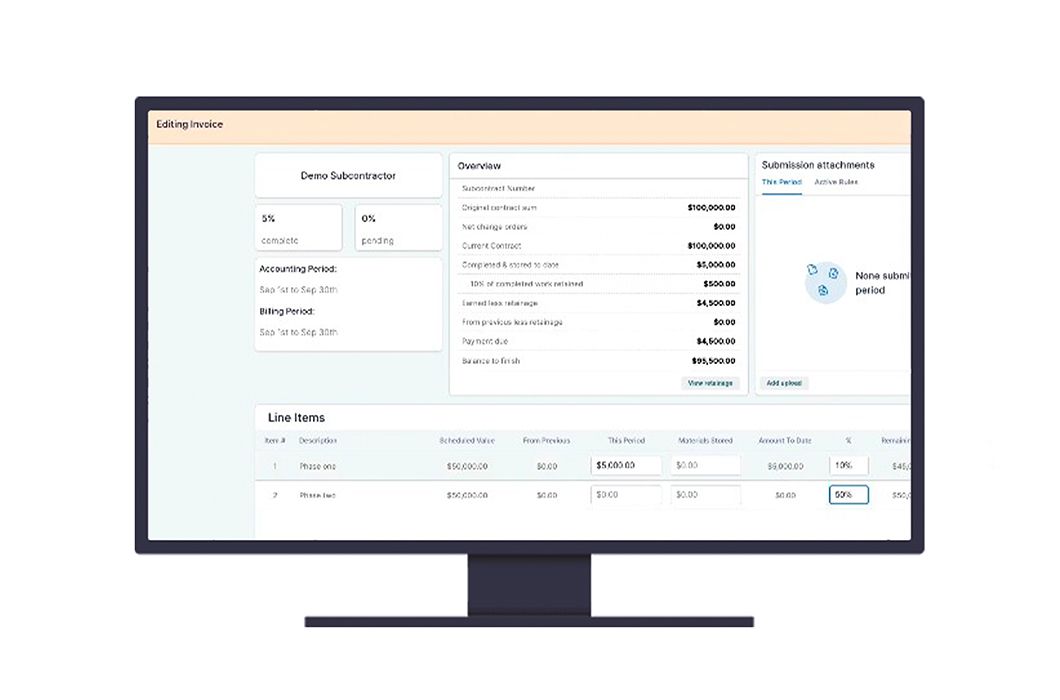
Now you can edit your line items. There are several ways you can choose to bill. You can enter a dollar amount for the period, or you can put in a percentage for AIA-style documents. Trimble Pay automatically calculates any remaining balances based on your input. Finally, save your edits.
Step 4. Generate the payment application schedule of values and cover sheet
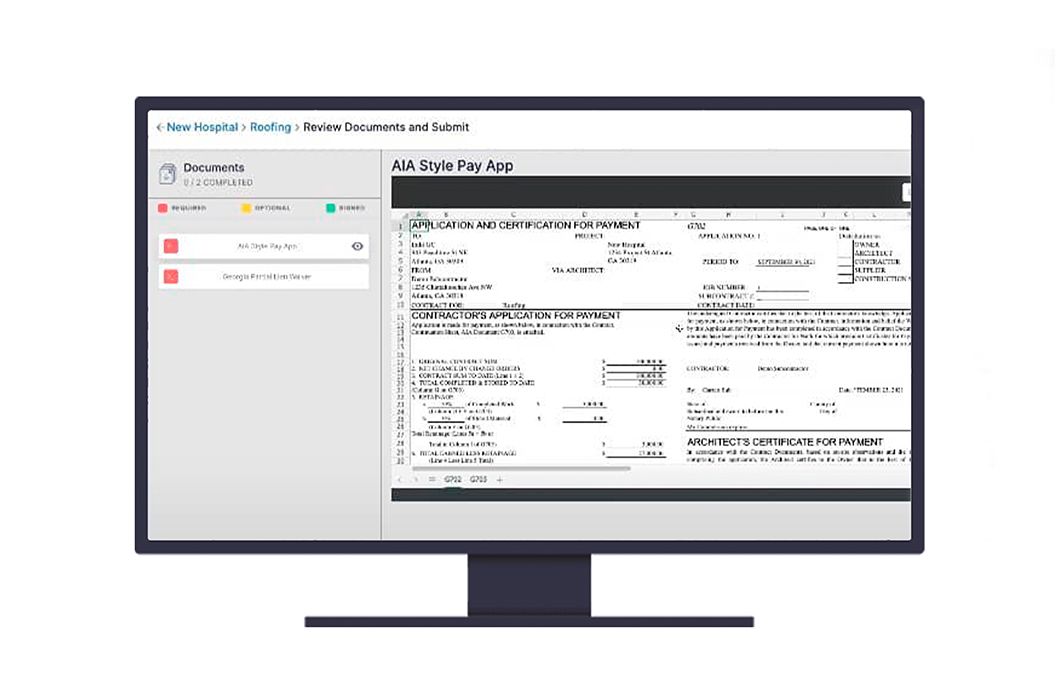
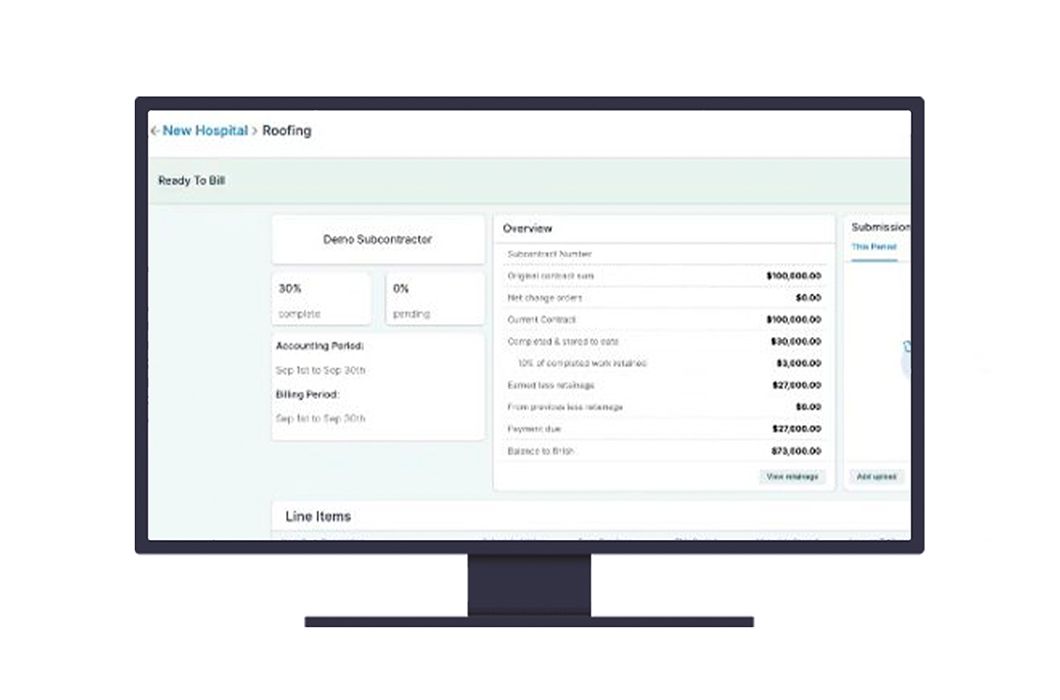
Last, simply select "Review Documents and Submit Bill". Trimble Pay will automatically generate both the AIA payment application forms! Once you submit the documents, Trimble Pay will notify the contractor what items need to be approved.

You've generated payment application forms!
Pat yourself on the back! Your payment application forms are accurately filled out, and sent in just a few moments. This process is much quicker than editing Google Sheets or Excel files. And unlike sending PDFs through DocuSign or email, these documents won’t get lost. Better yet, once they’ve been approved, or edits are requested, Trimble Pay will notify you again. With these features, you won’t miss deadlines. Reminders and notifications help avoid payment delays. The days of files getting lost in your emails, or approving the wrong version of a file are over.
Eliminate errors on AIA documents, automate conditional lien waivers and accelerate payment approvals across every project.


