

The construction sector is undergoing rapid change. Rising material costs, persistent labor shortages and stricter digital standards are forcing construction companies to protect their profit margins more intelligently. At the same time, evolving legislation and regulations place an unprecedented emphasis on compliance, quality and a provable, traceable dossier.
Historically, robust project management tools were out of reach for small and medium-sized enterprises (SME) and mid-market firms. Companies had to choose between complex, heavy enterprise systems with lengthy setup times, or fragmented apps, such as WhatsApp and loose Excel sheets, that disconnected the job site from the office.
Trimble ProjectSight bridges this gap. This cloud-based, mobile-optimised software is specifically designed to streamline workflows, digitise communication between office and site and drastically reduce re-work and defect costs.
What is ProjectSight and which construction companies is it suitable for?
ProjectSight is an integrated digital project and site management platform for SME and mid-market construction companies, main contractors and specialist MEP contractors. It serves as a single source of truth for project control, quality assurance (QA), document management and communication between the job site and the office.
What it is: A highly accessible solution for the delivery and execution phase of construction and installation projects. Built specifically to manage document flows, variations or change orders, submittals, quality checks, daily logs and drawing revisions.
What it is not: It is not a replacement for heavy, complex enterprise systems, such as Trimble Viewpoint Field View, or a commercial estimating or tendering tool. It takes effect as soon as a contract is awarded.
Comparison table: Construction software in practice
Evaluation Criteria | Fragmented (WhatsApp, Excel, Email) | Heavy Enterprise Software | Trimble ProjectSight (Mid-Market SaaS) |
|---|---|---|---|
Target audience | Unstructured/small projects | Large Tier-1 Enterprise organisations | Construction companies, MEP contractors & main contractors |
External user licences | Free (High risk of data loss & lack of audit trail) | Paid per user or % of construction turnover | Unlimited free collaborator licences (View, respond, upload photos) |
Version control & Automation | Manual renaming and emailing | Automated, but complex to manage | AI-driven OCR recognition & automatic transfer of mark-ups |
On-site ease of use | High adoption, but zero control/audit | Steep learning curve; high resistance in the field | High adoption thanks to an intuitive offline mobile app |
Reporting & Export | Manual cut/paste to PDF | Complex internal reporting modules | Direct batch export to PDF, Excel and ZIP archives |

How does ProjectSight connect 2D drawings and 3D BIM models between office and site?
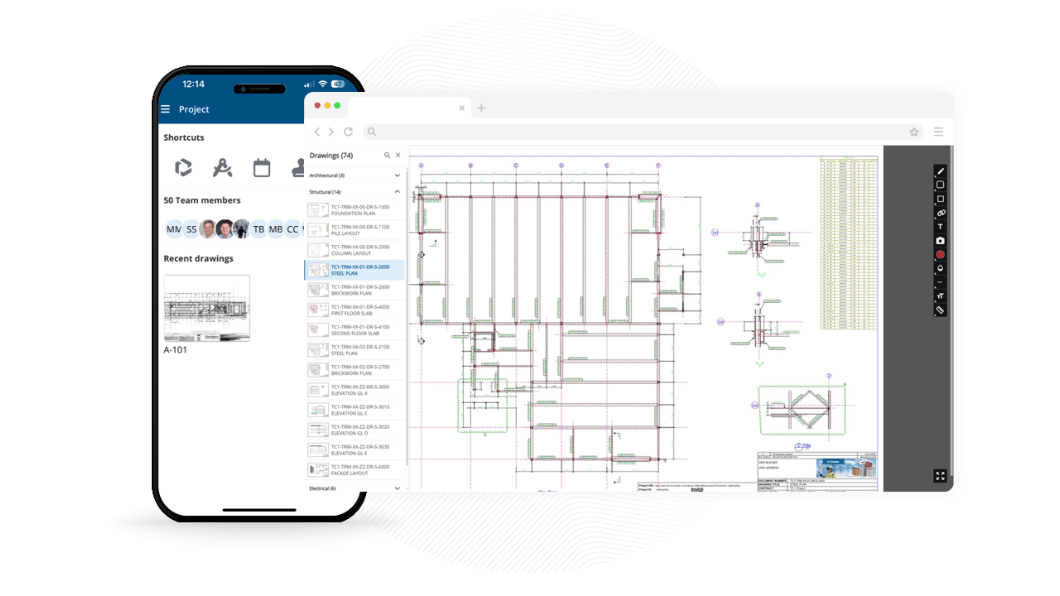
ProjectSight connects office preparation directly with site execution by bundling Trimble Connect Business Premium with every standard paid licence. This enables teams to overlay 2D drawings onto 3D BIM models, work offline on site and link actions directly to visual model elements.
A project manager or site agent cannot make informed decisions without visual context. ProjectSight seamlessly integrates 2D and 3D data into daily workflows:
Hybrid model viewing: Overlay 2D drawings directly over 3D BIM models. This makes it easy to review design intent and identify clashes before they lead to expensive site re-work.
Offline-first on mobile: Site teams frequently work in basements or remote locations without internet connectivity. With the ProjectSight Mobile app, staff download drawings, checklists and 3D models locally. Entered updates, photos and reports sync automatically once connection is restored.
Actionable BIM coordination: Link specific 3D model elements or saved model views directly to RFIs, quality checklists and daily logs. In this way, BIM coordination becomes a practical tool for the site operative.
“It’s incredibly intuitive and easy to use. This is really important as we have a diverse team of engineers - some who are digitally minded and others who are perhaps less so. Across the board, everyone was able to get on board with using ProjectSight within just a few minutes.” — Darren Sommer, Engineering Manager, AC Scotland
What AI features does ProjectSight offer for automated drawing management and voice input?
Instead of theoretical AI concepts, ProjectSight focuses on "Practical AI" or utility AI. These are concrete automations such as automated drawing management via Optical Character Recognition (OCR), in-app voice input (voice-to-text) and intelligent team suggestions for workflows—saving teams hours of administration each week.
AI-automated drawing management: When uploading a bulk PDF containing dozens of design drawings, ProjectSight AI automatically recognises sheet numbers, titles and revision codes. The system splits and indexes the set instantly.
In-app voice input (voice-to-text): Site managers and quality inspectors can dictate observations and notes directly on site. Speech recognition converts spoken messages into clear text within action items, checklists and daily site logs.
Intelligent team suggestions: Based on historical project data and assignments, the system automatically suggests the most relevant team members or subcontractors for specific RFIs, tasks and approval workflows.
"For our project teams, the platform will improve day-to-day coordination, reduce the risk of working from superseded information, and provide clear audit trails across commercial, design and quality processes." — Compass Developments (NE) Ltd
How does the ProjectSight licensing model work with unlimited free collaborator licences?
ProjectSight utilises a named user licensing (NUL) model combined with unlimited free collaborators. Organisations only pay for internal core users who create new projects or contracts; subcontractors, suppliers, clients and operative site staff participate in the platform completely free of charge.
Traditional software often penalises growth by billing per user. This results in high software costs or situations where external supply chain partners are left outside the information loop.
Functional comparison: Licensed User vs. Collaborator Licence
Capability | Licensed User (Paid NUL) | Collaborator Licence |
|---|---|---|
Document creation | Can initiate and manage any contract record (RFIs, submittals, transmittals). | Limited to creating Daily Logs and new Issues (snags). |
On-site Collaboration | Full read, write and configuration rights. | Can respond to and add attachments to assigned records. |
File management | Full control over the document library. | Can upload files to specifically assigned folders and records. |
Trimble Connect access | Full access to Trimble Connect Business Premium. | Free access to invited Connect projects and 3D models. |

Efficiency and quality for every construction role
Managing Director and CEO: Retains control over profit margins via high-level portfolio dashboards without sky-high licensing overheads.
Project Manager: Gains traceable site-to-office communication, structured RFI workflows, and real-time alerts for potential project delays.
Site Engineer and Work Preparer: Moves faster by transferring centralised digital documents, permits, and up-to-date work packages directly to the site team.
Document Controller: Guarantees everyone builds to the correct revision, thanks to automated document recognition and strict version control.
Quality and HSE Manager: Ensures compliance by linking digital checklists and photographic proof directly to the as-built record.
Site Manager and Works Supervisor: Fills in daily logs on mobile, records weather conditions automatically via GPS, and pins snags directly onto 2D drawings or 3D models.
How does ProjectSight support compliance, ISO 19650 and the "Golden Thread"?
ProjectSight acts as a Common Data Environment (CDE) compliant with the ISO 19650 standard. The system automatically builds an immutable audit trail, known as the "Golden Thread", creating a provable and audit-ready handover dossier.
Retaining data ownership as a client or developer
Under modern building regulations, maintaining a clear audit trail is legally required. With ProjectSight, a property developer or building owner can manage the base subscription themselves to retain ownership of the digital project database. Main contractors, architects and consultants are then invited as users with tailored permissions. Upon completion, the owner holds a complete, centralized as-built dossier for future operation and maintenance.
What integrations and API capabilities does ProjectSight offer?
ProjectSight provides out-of-the-box integrations with Trimble solutions (Trimble Connect, Trimble Tekla). Additionally, it features an open REST API via the Trimble Developer Portal to easily extract, synchronize or automate project data.
With open API architecture in ProjectSight, organisations can achieve three primary goals:
Dashboarding: Extract project data into custom BI and reporting tools for deeper portfolio analysis.
Integration: Automatically sync data between ProjectSight, ERP systems and accounting software to eliminate duplicate data entry.
Automation: Update project data programmatically to accelerate administrative processes in the office.
How are implementation, data security and PDF reporting handled in ProjectSight?
Thanks to its intuitive cloud setup, the core environment of ProjectSight is ready in minutes. Supported by Remote Professional Services (four to fourteen hours of remote guidance), teams can be live within days. All data is protected in accordance with ISO 27001, SOC and GDPR standards.
Flexible reporting: Generate customizable PDF reports with clear thumbnail images and direct hyperlinks back to source data in the platform.
Seamless data migration: Bulk uploads of documents and drawing sets are automatically split and indexed using AI.
Enterprise data security:
Certifications: ISO 27001, SOC Types 1, 2 & 3, and NIST 800-171.
Access Control: Role-based permissions and secure Single Sign-On (SSO) via Trimble Identity.
GDPR Compliance: Full compliance supported by formal Data Processing Addendums (DPA) in Europe.
Start building smarter today. Put an end to scattered Excel lists, WhatsApp messages and incomplete handover files.


