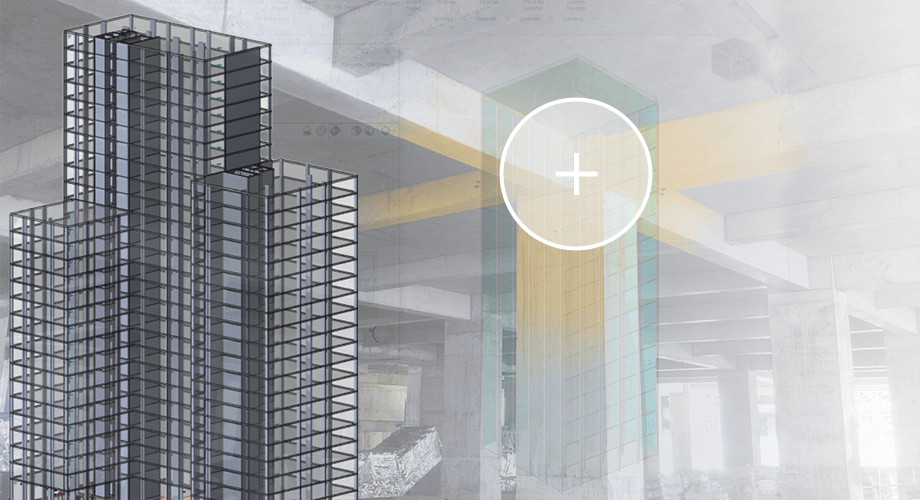
While Tekla Structural Designer is perhaps most well-known amongst the construction industry for its steel capabilities, the design and structural analysis software is just as valuable for concrete; as we explore here.
Multi-material design and analysis software
So, you use Tekla Structural Designer for its steel capabilities? But did you know that it can also be used with concrete and timber structures?
"Thanks to Tekla Structural Designer’s integration and multi-material capabilities, we were able to incorporate all structures into the one model, analysing it as a whole.”Clancy Consulting
Whether it’s a steel-framed building with a concrete core and pad foundations, or a structure that features a combination of precast, cast-in-situ and steel, it’s important that you can consider all materials in the same digital 3D environment. Here, multi-material software can be immensely valuable, allowing users to design, consider and analyse both steel and concrete together.
Clancy Consulting, a multi-discipline engineering firm, says: “Whereas we may have previously had different design packages for concrete and steel, Tekla Structural Designer can be used for both, allowing the correct stiffness relationship between the two to be easily assessed.
“For example, we worked on a project with challenging site conditions where the three buildings had to be constructed in very different ways: one, was a 19-storey concrete-framed building on pad foundations; the second, a 12-storey steel-framed building on pile foundations; and the third, a seven-storey steel-framed building on raft foundations. Thanks to Tekla Structural Designer’s integration and multi-material capabilities, we were able to incorporate all structures into the one model, analysing it as a whole.”
Design for concrete foundations
With Tekla Structural Designer, you can easily complete foundation modelling and design in the one model, including a mixture of pad foundations, strip footings, mat foundations, pile caps and piles.
Slab Deflection
As well as its host of tools for steel construction, the software also offers advanced analysis tools developed specifically for concrete, including slab deflection analysis.
Tekla Structural Designer follows the guidance in the Concrete Society’s Technical Report 58, relating to Eurocode 2. It utilises iterative crack section analysis of a sequentially loaded slab or structure to not only accurately estimate the whole life deflection, but also the deflection at various construction load stages of the engineer’s choice.
The results of this complex analysis can be visualised as contours of total deflection at any load stage, differential deflection between any two stages, effective reinforcement and slab stiffness. The unique check lines feature also enables the rapid pass or fail recognition of the pre-set total or differential deflection limits, all of which can then be reported on at the touch of a button.
Staged Construction Analysis
Recognising the changing state of a structure over time, staged construction analysis is particularly relevant for taller concrete buildings, whereby the building is constructed in clear storey-based stages.
Within Tekla Structural Designer, staged construction is made both simple and intuitive, with all concrete design codes taking into account staged construction analysis design forces. Transfer levels are loaded more realistically, axial deformations are reduced to give a more realistic assessment and deflection due to wind or other short term loading events is more accurately determined, enabling engineers to deliver an optimised design.
Integration
Tekla Structural Designer’s bi-directional interoperability with Tekla Structures and other design software suites, including Autodesk Revit, takes users from design & analysis to detailing with a streamlined flow of data. It offers a simplified process, with the ability to import IFCs, CAD files or DFX overlays into Tekla Structural Designer, complete the structural design and then export the model in the desired format for further detailing.
Such a level of software integration also delivers substantial time savings, without having to duplicate your work in the two software suites.
“Perhaps the most valuable benefit to us, is the speed. Through the intelligent link between Tekla Structural Designer and Revit, we can turn around design changes at a far quicker pace. To put this into real-life terms, whereas a design change may have previously taken us a couple of days to resolve, we are now able to model and analyse it in a matter of hours – a significant time saving. Rather than merely reacting to design changes, this practice enables us to instead proactively propose and explore a range of alternative design options.”**Clancy Consulting**
Engineering software for structural design
Interested in seeing what Tekla Structural Designer can do for concrete? Take a look at our free trial and eLearning course to get you started…

