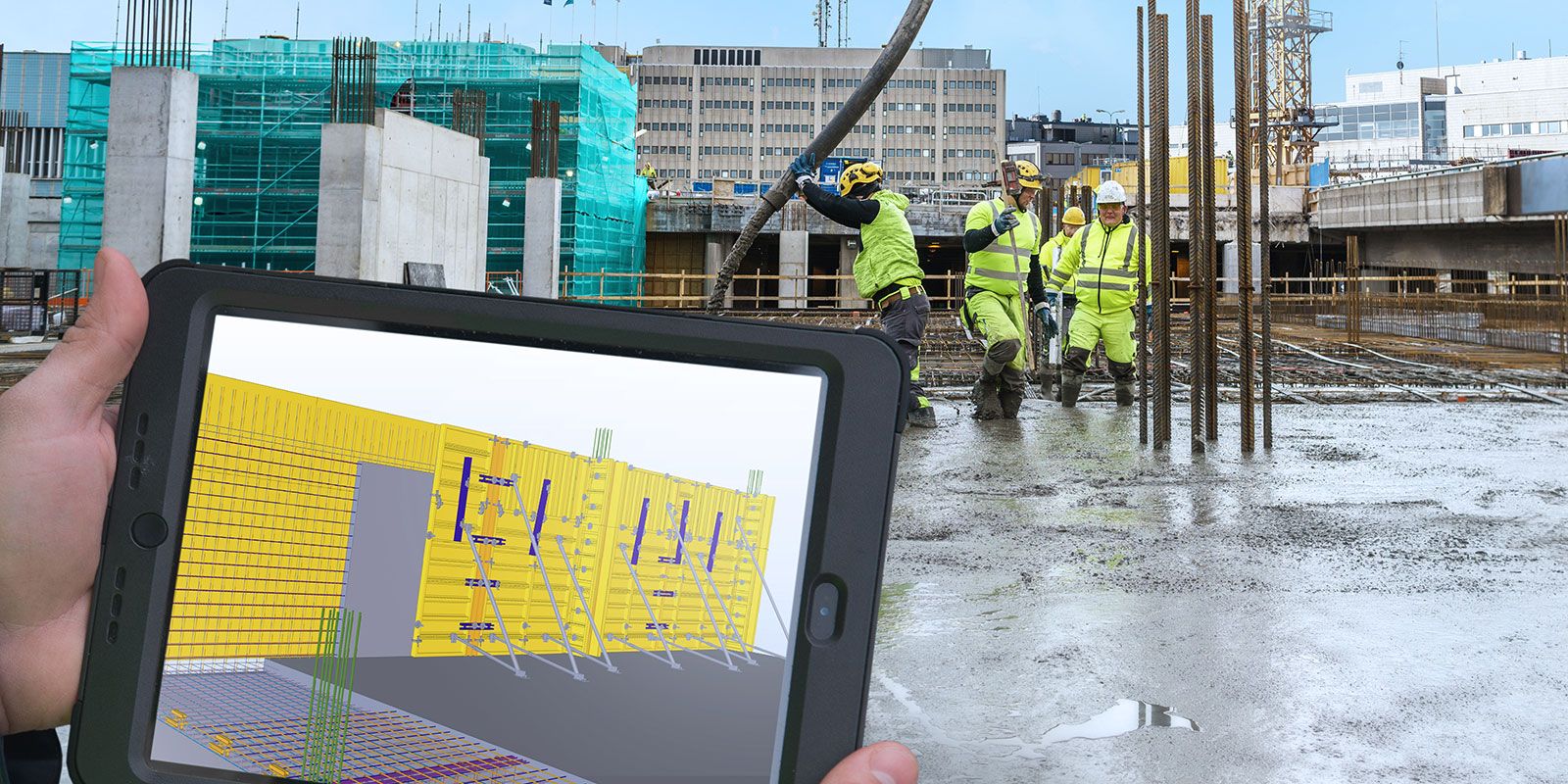
Getting the information right is the first step to taking the destiny of your formwork into your own hands.
A significant number of companies still use 2D drawings for planning their buildings. But one of the challenges with this approach is that the formwork planning is disconnected from other construction-planning tasks. This results in a lack of information and reduced planning accuracy.
Formwork always needs to be planned well. And that means collecting information from accurate sources; information about quantities, schedules, available space, and even about temporary structures you need to plan, design and order. In order for information to be accurate, you need a tool that allows it to be shared between different people. It would be best if you had a tool that transforms the correct information into a constructible model that guarantees everything relevant is being taken into account.
The major benefit from using Tekla Structures for formwork planning and detailing is that when you get the basic information right, you can take your destiny into your own hands. You can create the formwork drawings by yourself, and you can deliver the right information to your people in the field so they can see what it's supposed to be. You can spot problems before they even try to install the formwork, saving your time, resources and money.
Tekla Structures – taking your formwork planning to the next level:
1. Calculating the right quantities
It’s a common misperception that 3D modeling only provides you with a great visualization of a building before it is constructed. But Tekla 3D modeling software offers much more than that.
Tekla Structures helps you create a detailed model for calculating reliable and accurate estimates much faster than with any traditional method or 2D drawing. Quantities are automatically calculated using the information within the model – eliminating all the manual calculations that consume time and resources. Once the 3D model has been created, all quantities are available for management and reporting. The 3D model also gives you the flexibility to make changes and keep your team in the loop. You always know precisely how quantities are calculated and what is included.
2. Making your model constructible
With Tekla, complex structures and building elements can be designed in 3D to make them more comprehensible and create transparent project workflows. The level of detail that you get from a Tekla 3D model is like no other 3D software on the market. This detail is excellent for formwork plans.
For example, the modeled pour geometry can be used to place formwork components automatically in the right location and at the correct angle. Ties and clamps can also automatically find their proper position in the model.
Creating a model with such detailed and valuable information means you can proceed quickly and securely to the construction phase – with much less manual work. 3D modeling and visualization also make it easier to detect clashes and resolve potential issues early on in the construction process. This can save a lot of time and money.
3. Getting all the information you need
Formwork needs planning, and with Tekla software you get all the information you need for this. For example, if formwork is being delivered, you need to know how the transporter will access the site and the onsite space required for the delivery.
You also need to plan scaffolding to support the formwork and support the load before the concrete itself can carry the weight. All the temporary work and temporary onsite structures need to be planned too, including quantities, capacity and other logistical issues. Visualizing these things in 3D with Tekla software keeps formwork construction moving in the right way.

