Skip to content

Clash detection in BIM projects

2 minutes read
|
February 7, 2024

Share this post:

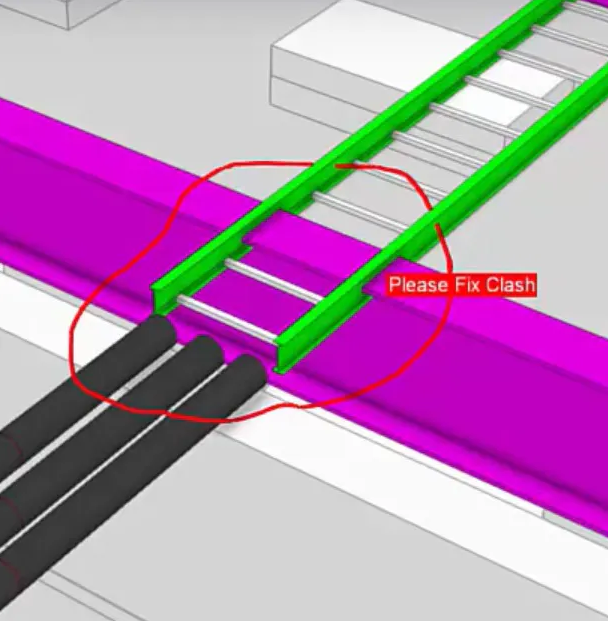
3D rendering of a clash detection in BIM, showing a green ladder rack intersecting a purple beam and three black pipes.

Clash detection in BIM projects, thanks to Trimble Connect

In BIM projects, installers from different disciplines work together to achieve the desired end result. This may involve installers using different methods and applications.

Where the structure may be designed in Tekla Structures, the E-installer can use Stabicad for AutoCAD, and the W-installer can work in Stabicad for Revit. By exchanging ICF models, installers can detect clashes, and adjust models.

Clash-free design thanks to Trimble Connect

However, this does not completely solve the coordination challenge. In particular, following up on clashes efficiently is a difficult process. This is where Trimble Connect can provide clear added value. With Trimble Connect, a wide variety of different models can easily be accessed simultaneously. No specialized software is needed for this; a Web browser is enough.

With Trimble Connect, clashes can be detected, reviewed, and assigned a To-do to the party that needs to fix the clash. The status of the To-do helps monitor progress. Once the installer has fixed the clash, all he has to do is upload his model to Trimble Connect, then all parties are immediately aware of the resolved clash.
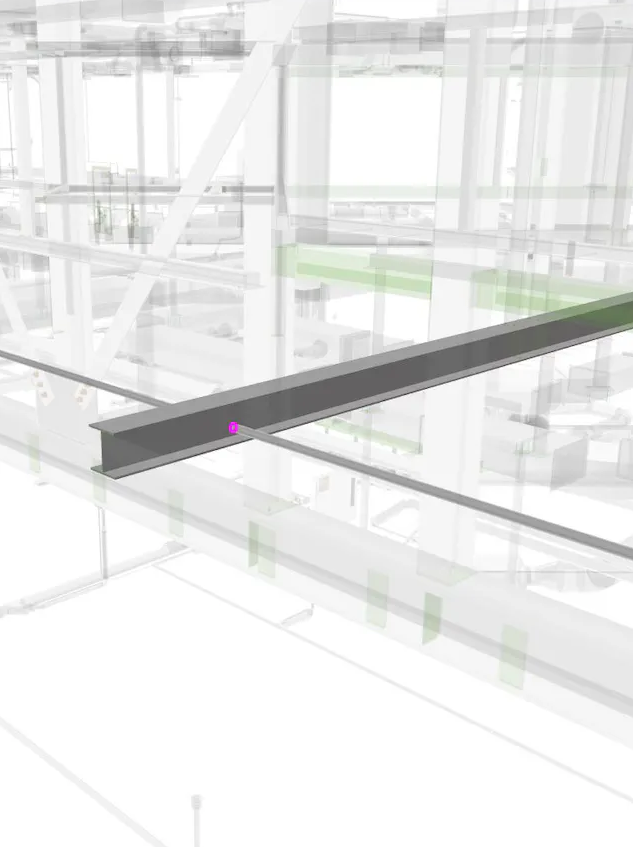
3D rendering of a steel beam within a building's structural framework.

Clash detection in coordinating your fire safety system

When installing fire detectors, it is important that they can perform their function properly. (Inter)national standards therefore stipulate that fire detectors be placed freely; that is, with enough free space around them. Stabicad helps you with this.

The families for fire detectors in Stabicad for Revit contain parameters that allow you to specify the free space above, below and around. And you can visualize this free space in both 2D and 3D.

When you perform a clash detection in Revit, the parameters of the free space for the fire detectors will be included here by default, even if you have not visualized the free space. This ensures that you will always receive a warning if a fire detector does not have enough free space according to the set parameters to perform its function properly.
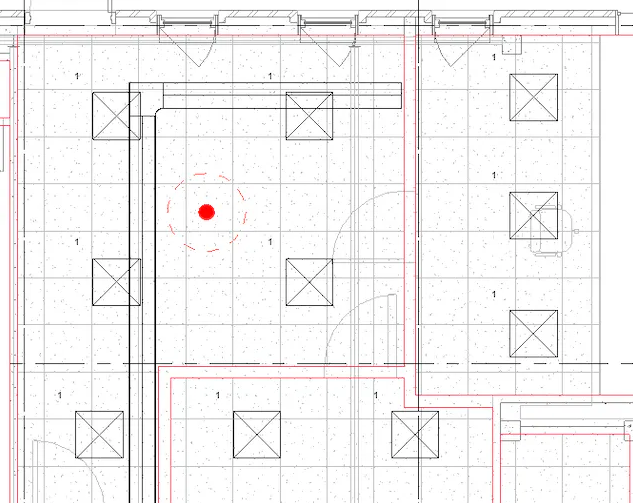
Floor plan with a red dot indicating a central location.

Collaborating with Sparingen

Take control of your MEP recesses with Stabicad. In Revit, you can collaborate optimally with structural engineer to detect and prevent collisions in BIM projects at an early stage.

Generate recesses with greater accuracy where MEP elements (such as ducts, pipes or cable trays) and structural (such as walls, floors or ceilings) intersect. Then communicate the recess requests to the structural engineer in real time by sending a recess request. Then receive a response file back and load it directly into your model to get the most up-to-date status for each recess.

Stabicad also allows AutoCAD users to create sparing reservations. AutoCAD users can also collaborate effectively with others by exchanging DWGs or IFCs.

Related articles

Article

Agentic AI: a foundation for physical industries

Just as electricity powers entire cities rather than lightbulbs alone, AI is evolving from simple ch...
Read full article
Article

AI change management: empowering people first

AI adoption starts by empowering your team. By automating repetitive tasks, organizations elevate em...
Read full article
Article

Data fragmentation: AI’s true ceiling

AI's true limitation isn't the technology, but data fragmentation. To unlock AI's potential, busines...
Read full article
Attention

We tried to combine the products in your guest cart with your saved cart, but we encountered an issue while merging them. When choosing a subscription, please select either monthly or yearly as they cannot be combined. Kindly review your cart before proceeding to checkout.

Cart updated
Some items in your cart are not available for purchase in your region, so we removed them. Please review your cart before proceeding.

Items Removed:
Attention

The software you are trying to purchase is not available in your country or region.

Cart updated
The items in your cart have been updated for two reasons. Firstly, the prices now match the currency linked to your account address. Secondly, some items have been removed because they are not available for purchase in your region. Please review your cart before proceeding.

Items Removed:
Cart updated
The items in your cart have been updated for two reasons. Firstly, you've added too many of one item to your cart. Secondly, some items have been removed because they are not available for purchase in your region. Please review your cart before proceeding.

Items Removed:
Cart updated
The items in your cart have been updated for three reasons. Firstly, the prices now match the currency linked to your account address. Secondly, you've added too many of one item to your cart. Thirdly, some items have been removed because they are not available for purchase in your region. Please review your cart before proceeding

Items Removed:
Cart updated

Your currency has been changed to match the currency associated with your account address.

Cart updated

Your cart has been updated for two reasons. First, the prices now reflect the currency associated with your account address. Second, you've added too many of one item to your cart. Please review your cart before proceeding.

Cart updated

While combining the products in your guest cart with your saved cart, at least one item in your cart has exceeded the maximum allowable quantity. Please review and correct your cart before proceeding to checkout.

Attention

We were unable to access your account information. Please contact customer support for assistance.

Attention
Unable to update shopping cart information. Please refresh the page to resolve the issue. If this issue persists, please contact Trimble support.
© 2026 Trimble Inc.

Trimble is a global technology company that connects the physical and digital worlds, transforming the ways work gets done. With relentless innovation in precise positioning, modeling and data analytics, Trimble enables essential industries including construction, geospatial and transportation. Whether it's helping customers build and maintain infrastructure, design and construct buildings, optimize global supply chains or map the world, Trimble is at the forefront, driving productivity and progress.