

BS1192, BIM drawing numbering and other naming conventions
If there was one single place I’d recommend anybody starts when beginning the journey to become BS1192 compliant I would recommend the naming convention.
The naming convention has been around since 2007 when BS1192 was first released and it sets out how we’re supposed to name everything—documents, drawing, models and data files. If we can start to adopt a common naming convention across the construction industry it will actually be an enormous advantage—clients will instantly understand what something is and who has done it, from project to project.
In the construction industry, it will save us an enormous amount of time that we currently spend on bespoke company inductions and training because everybody will turn up already knowing how it is that they’re supposed to label everything and communicate what they’re doing—and of course, with Trimble Viewpoint for Projects being a Common Data Environment (CDE), we absolutely love it because as we head towards a data-centric world, it is the meta-data which these filing and naming conventions provide that will allow us to do much more intelligent searches for information, not just on a single asset, but across multiple assets—so it’s really important going forwards.
So, what is BS1192? What does it look like? Well, here it is as shown in the first image:
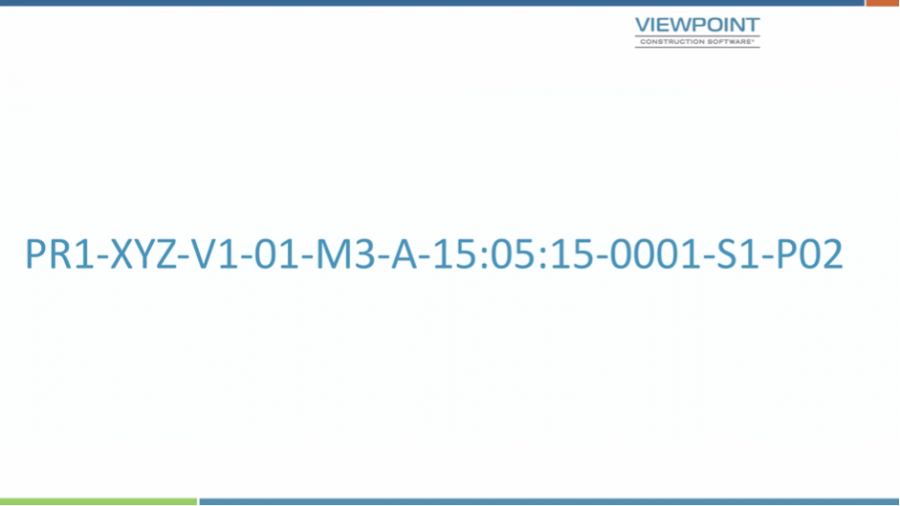
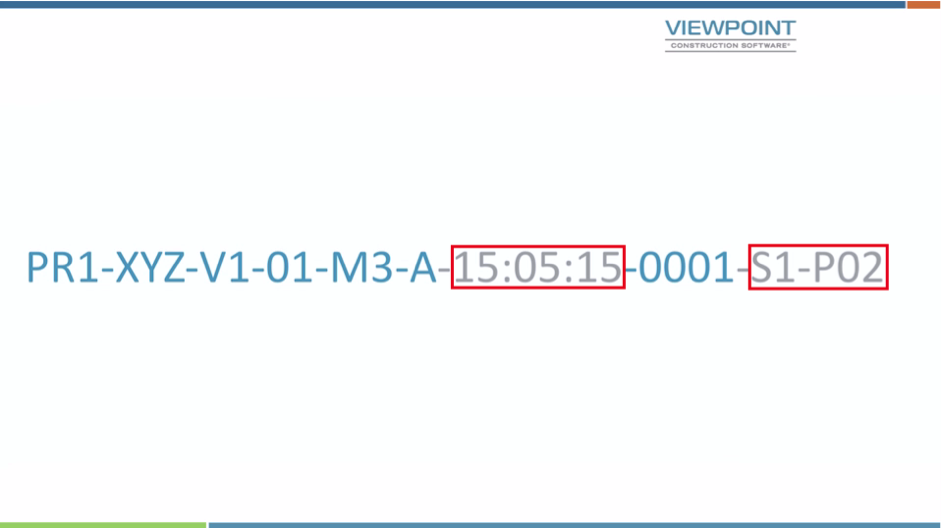
Yes, it’s long and yes it looks complicated—but actually, when you start to break it down it becomes simpler. And in fact, the parts highlighted in the second image are optional:
So in most cases, this is actually what it is going to look like:
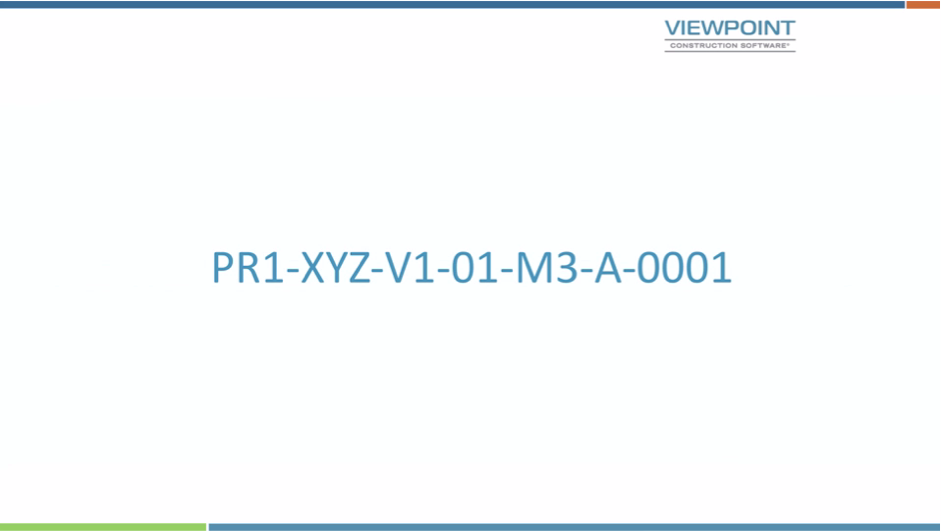
But it’s still long and it’s still complicated, so let’s break it down and explain what each part actually means. So, the first part is the project number which needs to be from two to six characters in length, in letters or numbers.
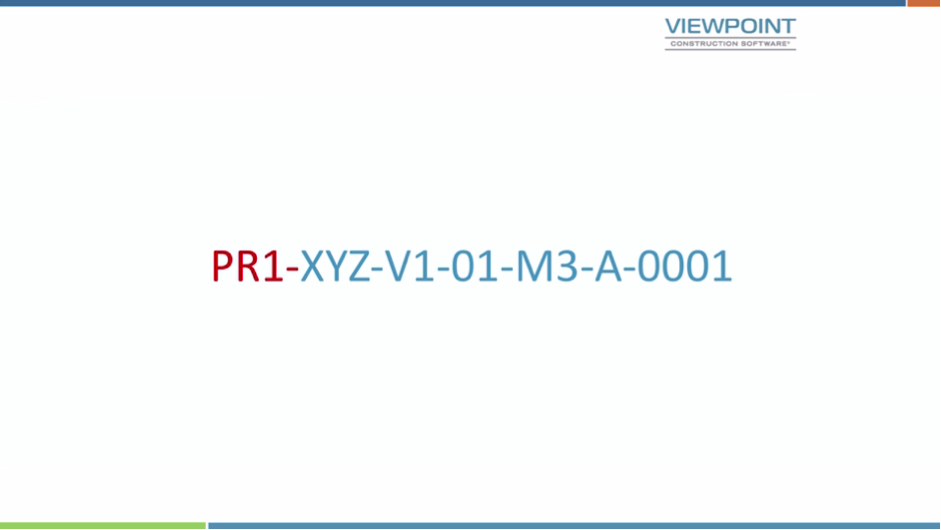
This format is to be used by everybody on the project—gone are the days when each consultant has their own number for the project, so it’s probably initiated by the client within the EIR—but if it’s not, the information manager on the project must convey to all the parties what the project number is that you’re going to be using. If you must maintain your own project numbers as well then do so separately, because the numbering system will not work unless it is the same across the project for all parties.
The second part is who the originator of the information is—in other words—this is your company, or the code that represents your company.
And this code needs to be from three to six characters — again in letters or numbers. It must be unique to your company as this is the reference that states which party is responsible for creating the data that this particular tag relates to.
The next characters relate to the volume or system. It’s important to state that this must always be there even if there is only one volume. This reference relates to a logical portion of the work. If a piece of data or model relates to all of the volumes on a job it is to be given the reference ‘00’. The volume or system designation is one or two characters in length and again is letters or numbers.
The next portion relates to levels and locations.
It is always two character of letters and/or numbers. If it is multiple levels, then the designation ‘ZZ’ should be used. If no levels are applicable then the designation ‘XX’ should be used. ‘GF’ relates to ‘Ground Floor’, ‘00’ relates to the base level of a building (or linear asset). Floors above the Ground Floor are 01 for First Floor, 02 for Second Floor etc. Mezzanine’s have the prefix ‘M’ and ‘M1’ would mean Mezzanine above Level 1 etc. All levels below the Ground Floor have the prefix ‘B’, for example, B1, B2, B3 for each basement floor.
The next portion of the naming convention relates to the type of information that has been provided.
Shown above are the codes for the file types that relate to drawings and models — for example M3 relates to a 3D Model file. Below are the codes that relate to documents, for example, ‘SN’ is a snagging list.
The next portion relates to the role—what your company does—and each organisation must be allocated one or more role within the project, and here is a list of what they are:
Remember that you might have several different architectural companies working on a large project, so the company designation (second portion of the naming convention) differentiates the companies but the role is this penultimate portion.
Finally we have the number. It’s always four digits:
This number should always be used sequentially with leading zeroes.
But what do those optional bits do? Well let’s have a closer look. In most cases, these won’t actually form part of the base numbering system.
The first part relates to classification. So in this case it may be UNICLASS 1.4 or perhaps UNICLASS 2015.
You also have a suitability status:
The suitability status is absolutely crucial — but does not have to make up the base numbers. In fact, it’s this field that drives the workflows within Trimble Viewpoint for projects.
The preceding image shows how these break down — from ‘S0’, the initial WIP status and ‘S1’ through to ‘S7’ for ‘Suitable for Sharing’ etc.
And finally, you have the ‘Revision Status’ and this has a prefix of ‘P’ for all preliminary revisions.
During WIP, a decimal may be used to indicate items going through company approvals processes – e.g. P01.01, P01.02 and so on.
And ‘C’ is used as a prefix for revisions to all completed work (e.g. construction status) and would look like C01, C02 etc.
It is the BS1192 numbering system. Even if you don’t like it, it’s a standard and what else do we have that has been agreed industry wide for construction that we should use? We know that we need a naming convention for the labelling of our documents, data and models across all of the items within a project no matter who they are being produced by — so let’s use it.
I believe if you do start to use this standard you will fully understand it within a week. More importantly, most of the numbering system remains the same from issue to issue. For example, the project number, who your company is, what role your company takes and actually whether it’s a model or a schedule, for instance, will remain the same from issue to issue. So actually all you’re probably doing is changing the revision status or perhaps the next iteration — so it’s not that complicated.
Once we start using this it will be fantastic because we will have this meta-data across all the items on our projects and we will be able to make those great searches, not just on one asset, but across all assets.

